Link Space and Unity
Overview
Get API Key Log in with your Space account at https://curator.sine.space/ Go to Settings / API keys.
Get API Key
Log in with your Space account at https://curator.sine.space/
Go to Settings / API keys.
Generate and API key and copy it.
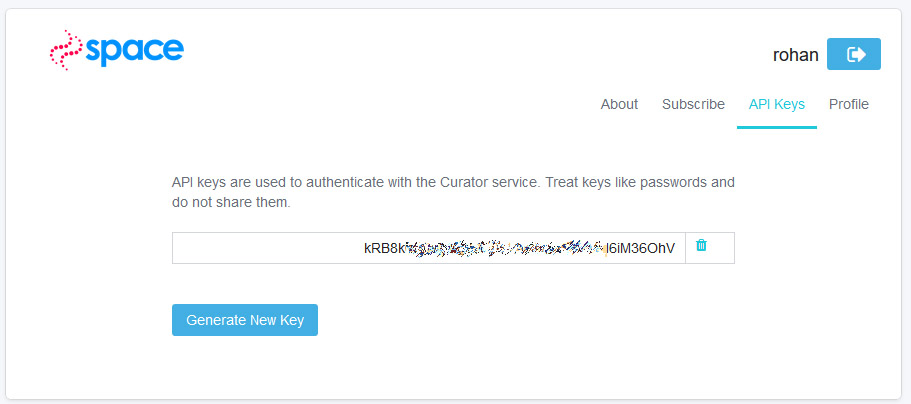
Paste API Key
Go to your Unity project and in the top bar menu select Space / Upload Settings.
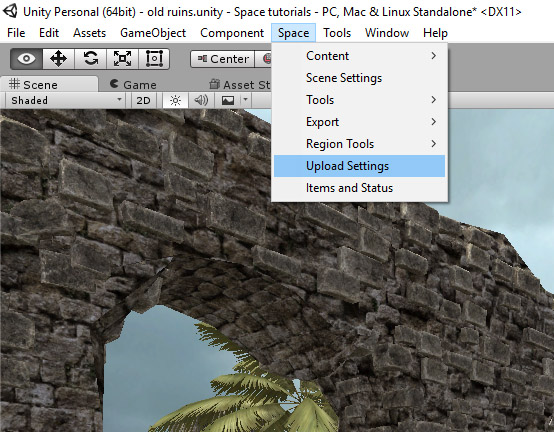
This will open a field in the Inspector (usually on the right in Unity)
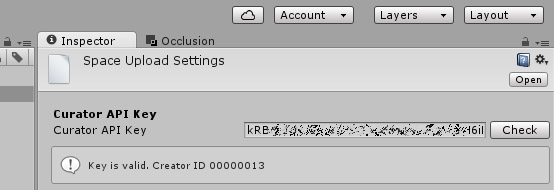
Paste your API here and click check to verify.
This links your Unity project to your account; everything you upload from the project will now go to the same account; that can be multiple scenes and other virtual goods.