TeleportWorld
Overview
Field Custom Destination Name Name of the destination(This doesn't have to be the regions name) Custom Destination Background ID ID of the destination Region (Must match an existin
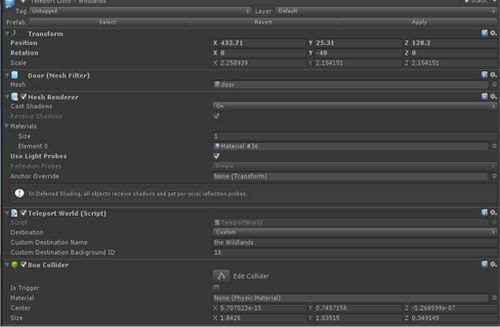
Field
Custom Destination Name
Name of the destination(This doesn't have to be the regions name)
Custom Destination Background ID
ID of the destination Region (Must match an existing region id)Usage
Usage
Create a portal or an object which you would like to act as world teleport. Add component, search and select "Inter-Region Teleport (TeleportWorld)".
No need for collider nor trigger : the avatar need to reach the object's "Transform coordinate" to self-activate the teleportation process.
Once added, set a Name for destination region. Then click on destination background ID and add your region background ID.
Region background id is show in the Scene setting when you upload a region it is right bellow region URL.
You may also find the Region background id on your Curator page then Items list.